You close deals. Your tools should keep up.
You're managing leads in one app, tracking commissions in a spreadsheet, and chasing deadlines in your calendar. Rehomebase puts your contracts, tasks, commissions, and leads in one place — so you can focus on the work that earns you money.
Sound familiar?
Your tools don't talk to each other
You close a deal and then open four different apps to update the status, log the commission, check the next task, and notify your coordinator. Every tool has a piece of the picture. None of them have the whole thing.
You track commissions in your head
Referral fees, concessions, agent splits — you know the numbers, but they live in a spreadsheet only you can see. At closing, you're doing math on the fly instead of looking at a number you already trust.
Deadlines slip because nobody owns them
Contingency expirations, document due dates, follow-up calls — they're scattered across your calendar, your notes app, and your memory. You find out something was missed after it's too late.
How Rehomebase helps
Morning: Open your dashboard
Your day starts with one screen. Overdue tasks, scheduled calls, expiring contingencies, upcoming closings, and YTD income — scoped to your book of business. You know what needs attention before you finish your coffee.
Learn about Dashboard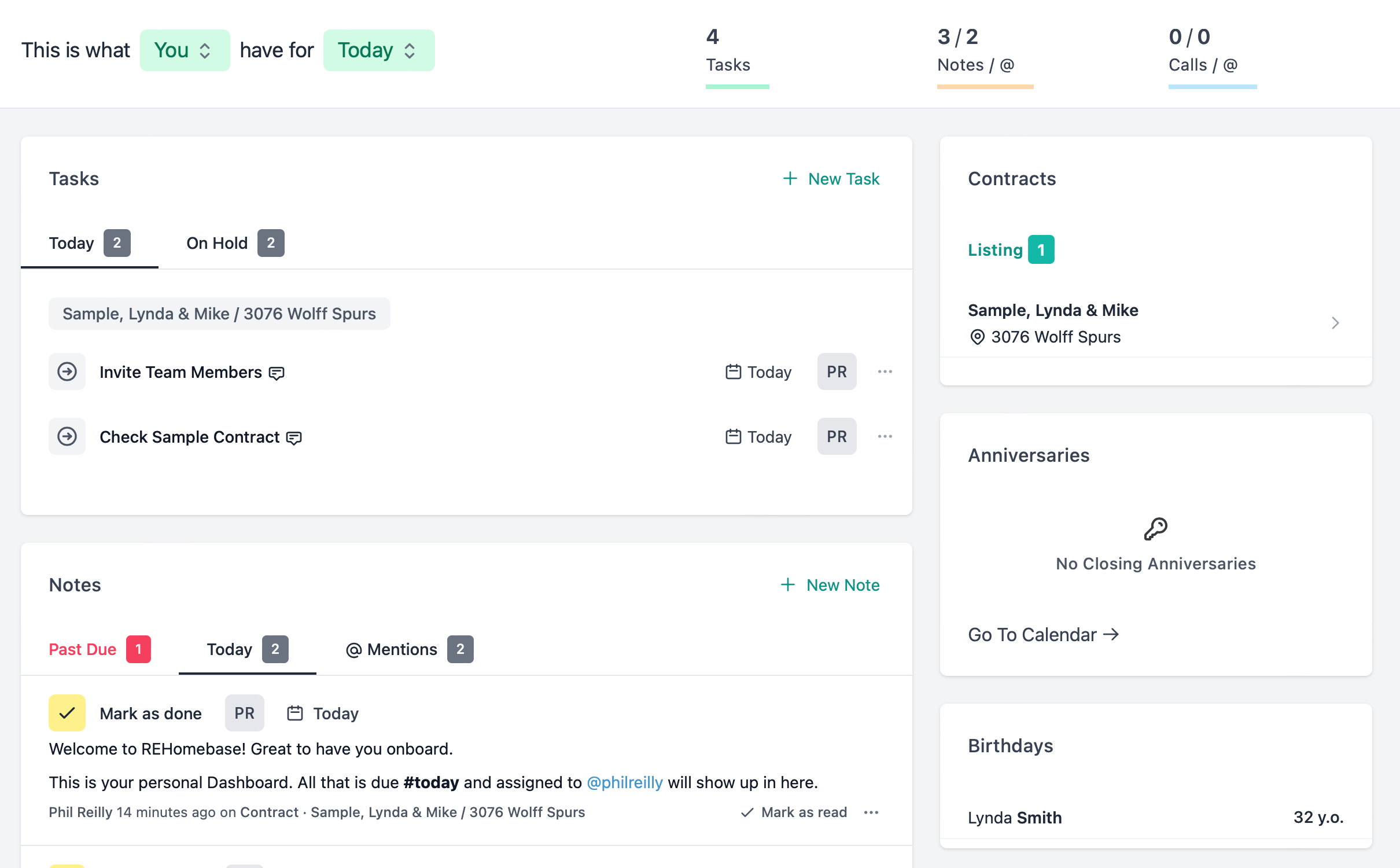
Before the showing: Check your contracts
Every contract has its own page — stage, dates, contingencies, documents, team, and commissions. You see exactly where each deal stands without opening a spreadsheet or an email thread.
Learn about Contracts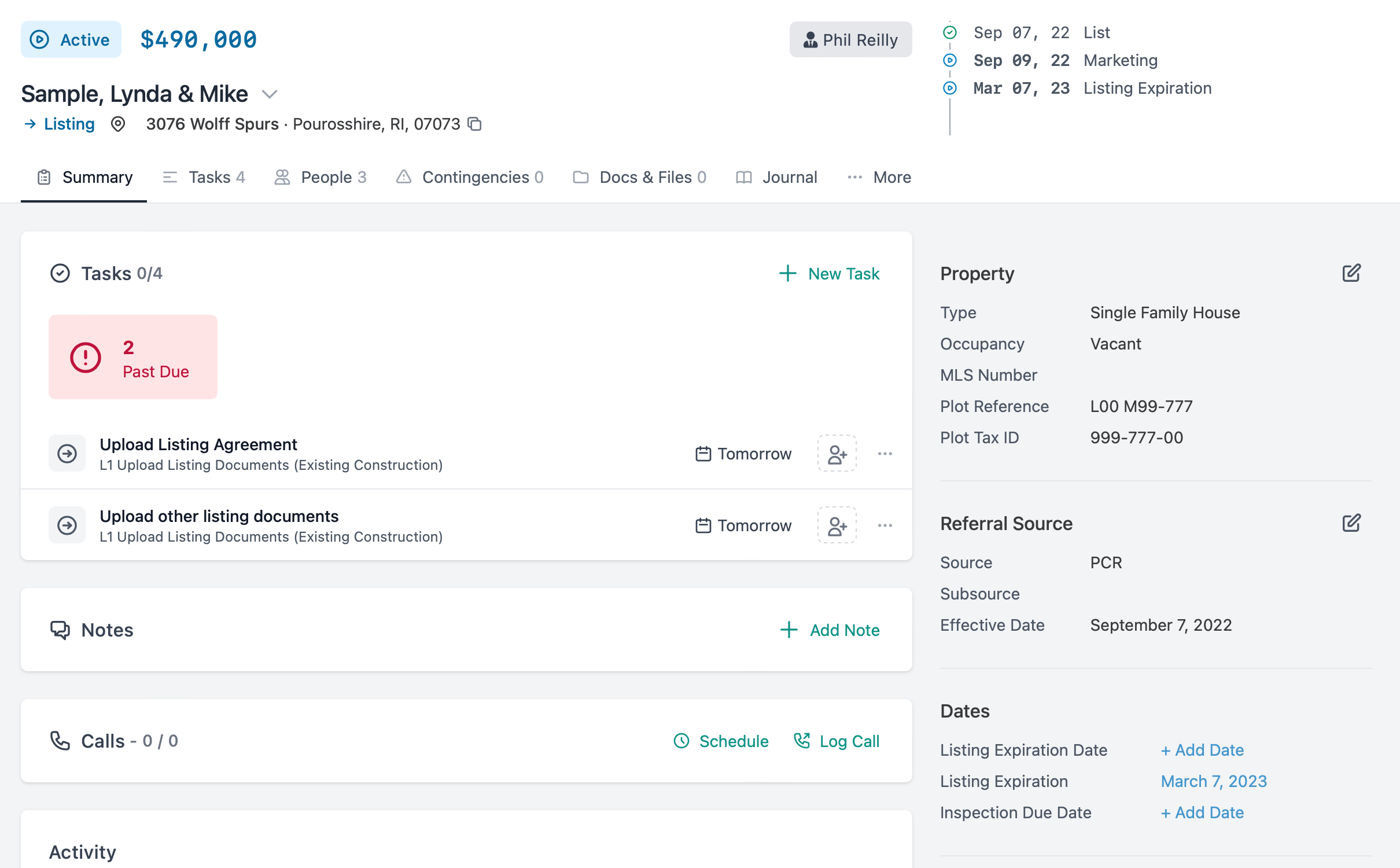
Between calls: Know your numbers
Firm commissions, your split, referral fees, concessions — calculated per contract. Monthly pay log shows what closed and what you earned. No more mental math. No more shadow spreadsheet.
Learn about Commissions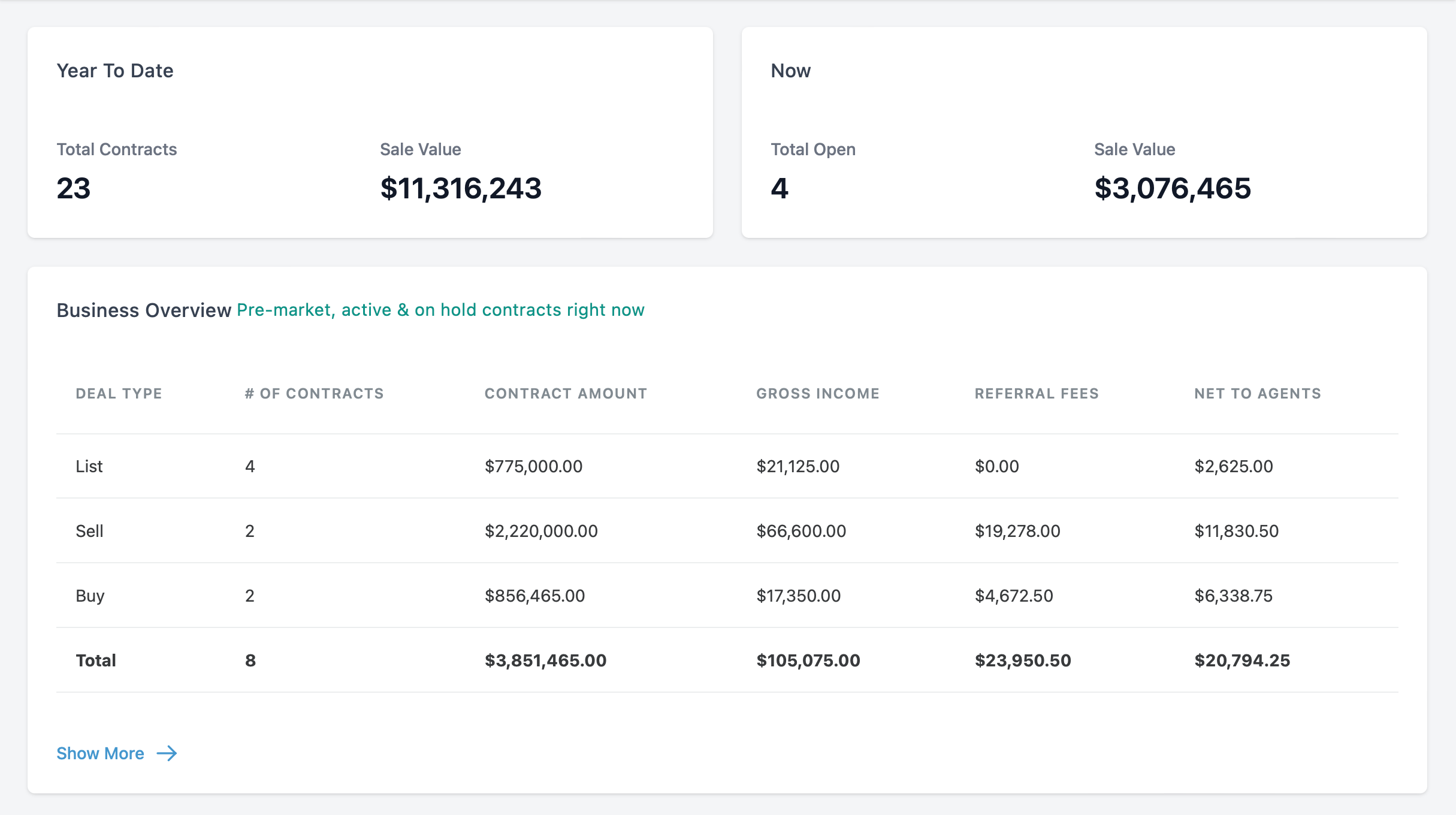
End of day: Nothing fell through the cracks
Workflow templates give every contract a checklist. Due dates sync to your closing date. When the date moves, every task recalculates. You built the process once — now it runs itself.
Learn about Tasks & Workflows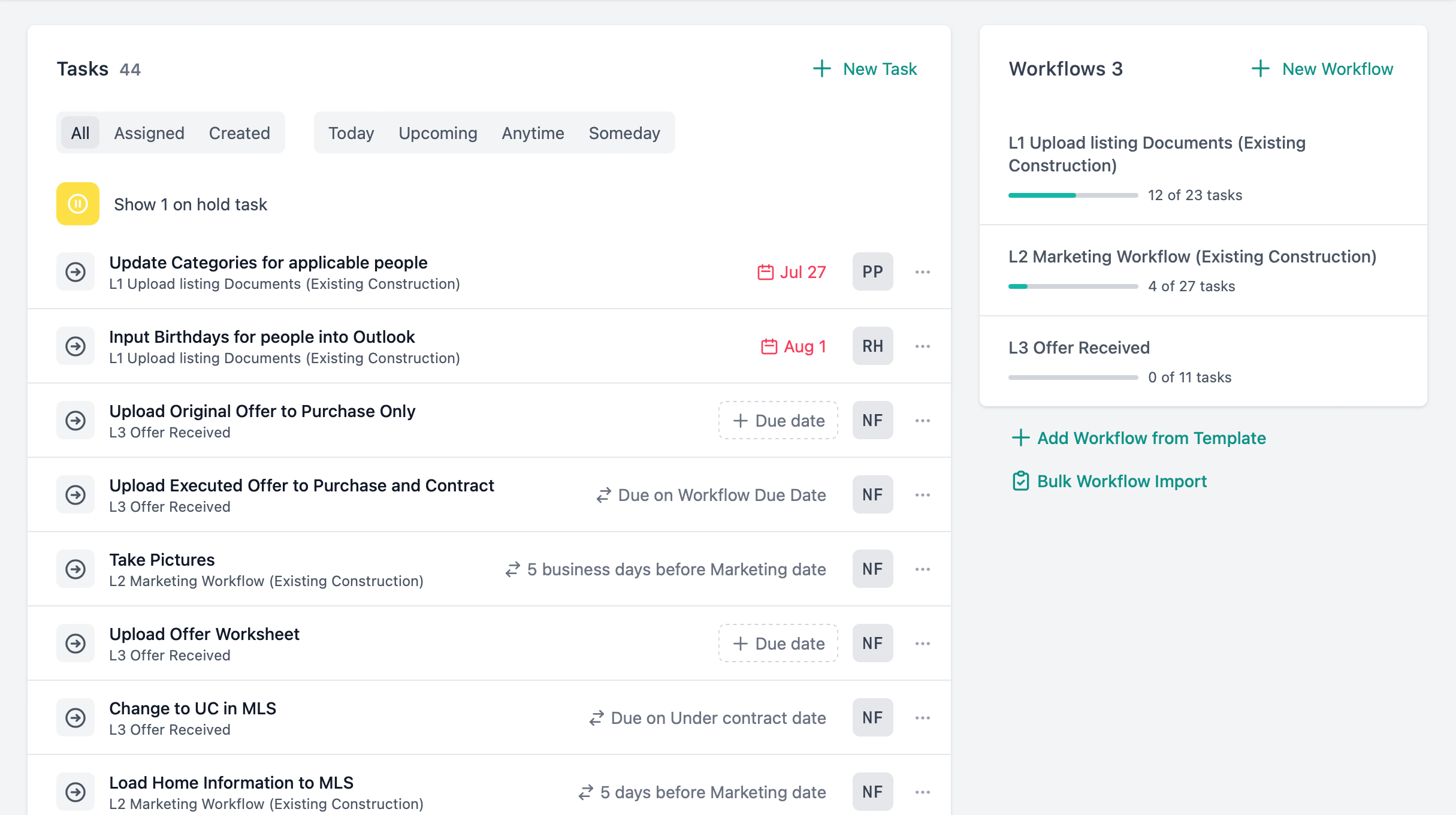
The features that matter most to agents
A day in the life
How an agent uses Rehomebase from morning to close of business.
7:30 AM
Check your dashboard
Coffee in hand, open Rehomebase. Three tasks due today, one overdue call from yesterday, a contingency expiring Thursday. You know your priorities before you leave the house.
9:00 AM
Prep for the listing appointment
Pull up the contract. Stage, key dates, documents received, contingencies — all on one page. You walk in prepared, not scrambling through email for the latest update.
11:00 AM
Between showings, check your numbers
Open the pay log. Two closings this month, one more next week. Your commission, referral fee deducted, net amount — already calculated. You know exactly where you stand.
2:00 PM
Closing date moved
The lender needs another week. Update the closing date on the contract. Fifteen synced tasks recalculate automatically. You didn't touch a single one.
5:00 PM
Quick follow-ups
Dashboard shows two calls to make and a client birthday tomorrow. Call your buyer back, wish a past client happy birthday, check off today's tasks. Nothing fell through.
You didn't get into real estate to manage software.
Start a 14-day free trial or book a walkthrough with our team.